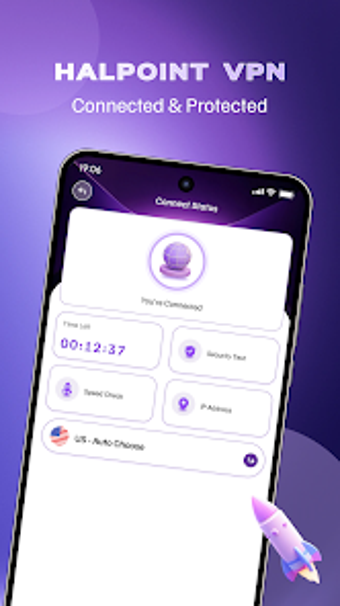
Halpoint VPN: One-tap Android VPN for straightforward privacy
Halpoint VPN, from Zenovix Technologies Limited, provides basic internet privacy and connection masking for Android users. The app exposes a single-tap connection model and a global server list so users can secure traffic and choose locations without manual setup. It presents a minimalist interface and a lightweight APK (~58 MB). Halpoint targets travelers, students, and remote workers who need quick protection on public mobile networks.
What the app does for everyday mobile privacy
The app acts as a standard VPN client that masks the device IP and routes traffic through remote servers, making casual eavesdropping on public networks harder. It is designed for routine browsing, remote work, and studying on unsecured hotspots. Practical outcomes include location selection from a worldwide server network and immediate connection control, so the user can switch endpoints before accessing sensitive sites.
How it interacts with device resources and installation
Installation footprint is intentionally small, the APK is approximately 58 MB, which reduces storage impact during setup. The interface design focuses on minimal controls to limit foreground interaction. Supported connection types include Wi-Fi, 5G, LTE/4G, and 3G, which keeps the tool usable across common mobile networks without special drivers or system hooks that would increase resource demands.
What safety and data handling look like in practice
The app does not require account registration, which reduces user-supplied personal identifiers at first use. At the same time, Play Store data safety notes indicate the app may collect app activity, performance metrics, and device IDs for functional and analytical purposes. Users who need provable zero-logging guarantees should treat those disclosures as a signal to review telemetry details before relying on the app for sensitive tasks.
Who the app fits and who may need something different
The design favors simplicity over advanced control, which makes it appropriate for non-technical users who want quick protection without configuration. Power users who require granular protocol choices, per-app routing, or configurable encryption parameters may find the available options limited. The developer positions the app around a straightforward experience rather than exposing detailed networking controls, so evaluate needs before adopting it as a primary privacy tool.
Halpoint is a practical pick for users who want fast, low-effort protection
Halpoint is a practical option for Android users who need immediate privacy on public networks because Zenovix emphasizes a no-configuration approach and minimal installation footprint. The trade-off is fewer advanced settings for power users. Practical tip: enable the app before joining any public hotspot to ensure persistent routing through the remote server. Recommended.